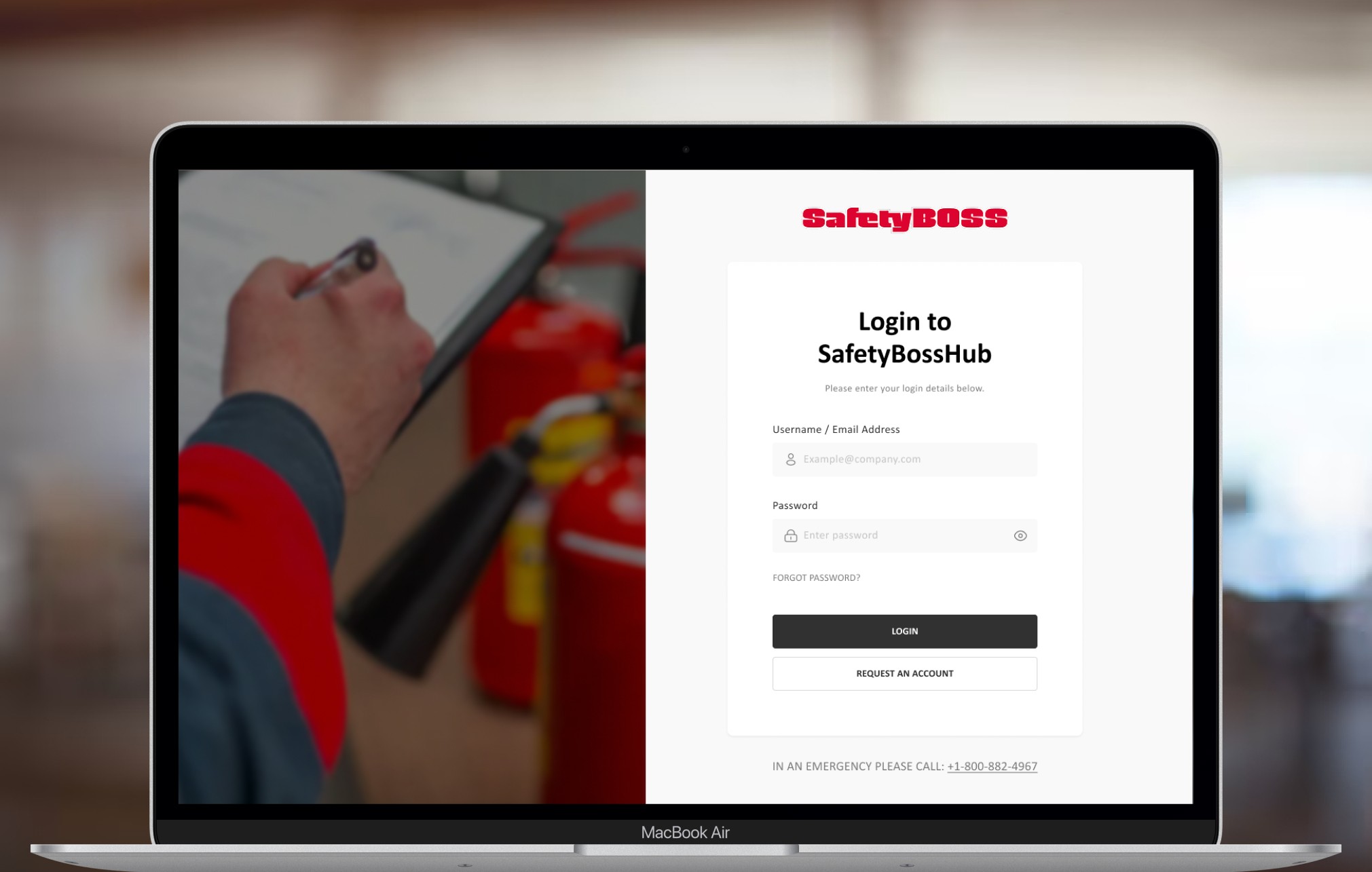
About the client
SafetyBoss keeps industrial work sites safe
SafetyBoss provides on-site safety services for industrial projects, from emergency medical responders, paramedics, and industrial firefighters to equipment like fire and shower units and mobile treatment centres. Its customers are consultants and site workers who book these services for jobs such as plant turnarounds and construction.
The problem
Problem Discovery
The brief: a "SkipTheDishes" for safety services
SafetyBoss wanted an app for ordering safety services the way people order food delivery. Behind that request was a communication problem: customers know the field well, dispatchers often don't, and the tools between them were slow and scattered.
The challenge
How might we streamline the communication between customers and dispatchers?
- Missing order details
- Phone tag
- Field knowledge gap
- Scattered tools
- Handwritten notes and spreadsheets
- No order status for customers
Our Solution
One place to order, dispatch, and track every job
SafetyBossHub is a web app that brings the whole order into one system.
Complete orders
Customers place a complete order in one go and check its status at any time.
Every job in one place
Dispatchers get every detail up front and manage every job from one system.
Automatic updates
An activity log keeps both sides up to date, in place of calls, texts, and emails.
The process
Research & Ideation
Field experts were ordering through dispatchers new to the field
Customers are often experienced consultants and field workers; dispatchers often aren't. To see how orders really flow, and what no one was addressing yet, I used four methods.
Observation
Shadowed the dispatch workflow at SafetyBoss's headquarters.
Interviews
The CEO, dispatch team, sales team, and long-term customers.
Journey map
The full end-to-end service, from both sides.
Co-design
Working sessions with key stakeholders.
User Research
The real problem was inside dispatch
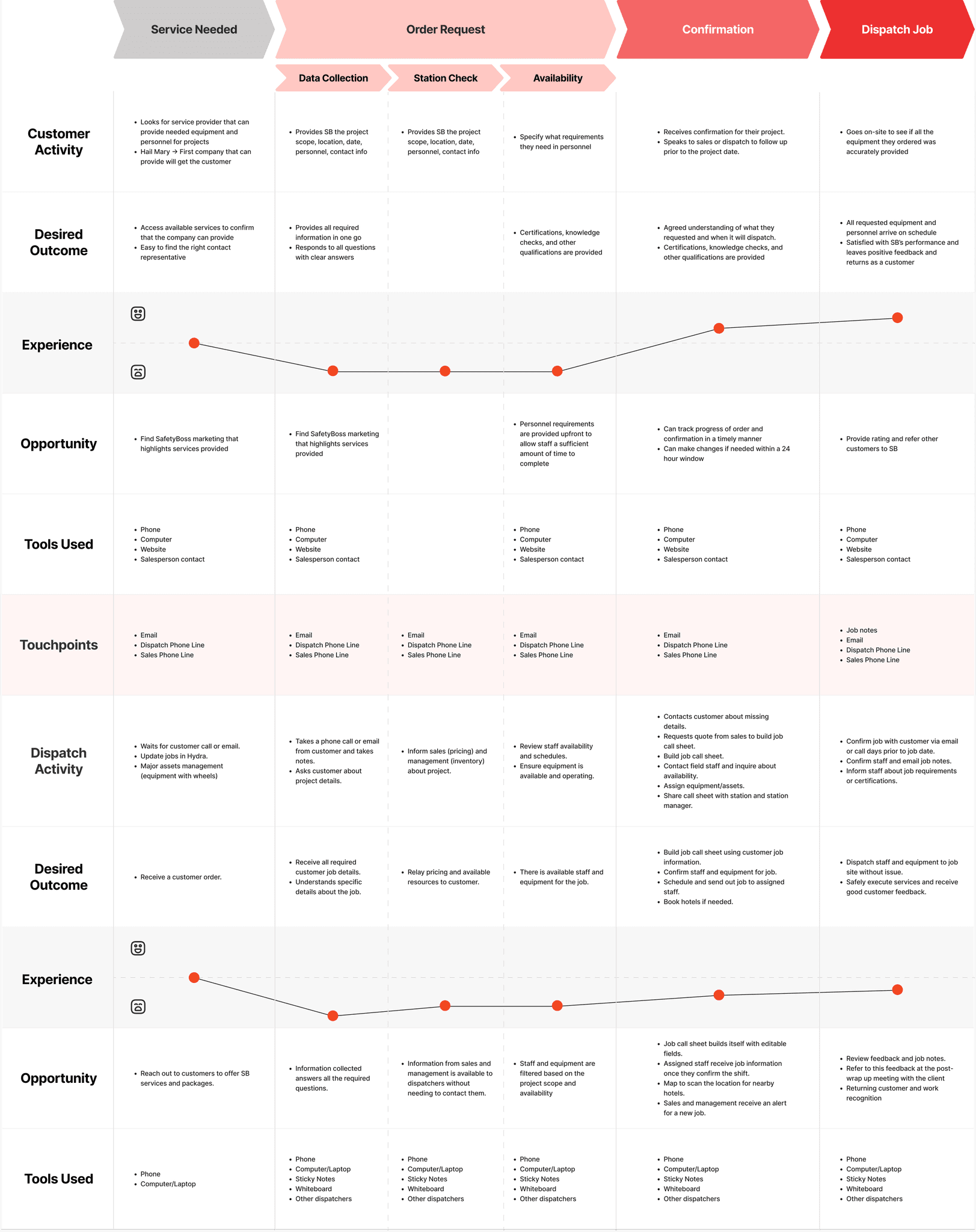
I mapped an order across four stages, from both the customer's and the dispatcher's side. The biggest pain sat behind the scenes: dispatchers lacked the tools and resources to serve customers well.
01Service needed
02Order request
03Confirmation
04Dispatch job
Experience
Customer
Dispatcher
Customer
Looks for a provider with the people and equipment the project needs.
Shares the project scope, location, dates, and personnel needs, often more than once.
Gets confirmation and follows up with sales or dispatch before the project date.
Checks on site that everything they ordered arrived.
Dispatcher
Waits for a call or email, updates jobs, and manages major equipment.
Takes notes from calls and emails, checks pricing with sales, and checks staff and equipment availability.
Chases missing details, gets a quote from sales, builds the call sheet, and assigns staff and equipment.
Confirms the job with the customer and staff, and shares the job requirements.
Opportunity
Marketing that clearly shows what SafetyBoss offers.
Collect every detail up front so dispatch doesn't have to chase it.
Call sheets that build themselves, and order tracking for customers.
Ratings and feedback after each job.
Defining Persona & Goals

Emily Wright
Dispatcher at SafetyBoss
As a dispatcher at SafetyBoss, I would like every order to arrive complete and in one place, so I can spend less time chasing details and more time getting crews to site.
Goal
Manage internal processes and reduce back-and-forth with customers.
Frustrations
- Orders arrive missing key details
- Information is spread across calls, texts, emails, and notes
- Customers expect field knowledge that takes years to build
Needs
- Complete orders up front
- One place to track every job
- Automatic updates for customers
The turning point
The real problem wasn't ordering. It was everything that happened after an order was placed.
Project Development
Reframing the problem: from ordering app to dispatch system
Dispatchers were juggling calls, texts, emails, handwritten notes, and outdated spreadsheets. Fixing ordering alone wouldn't solve that, so I widened the scope to the whole service.
Customer
“I want clear visibility of my order and its status.”
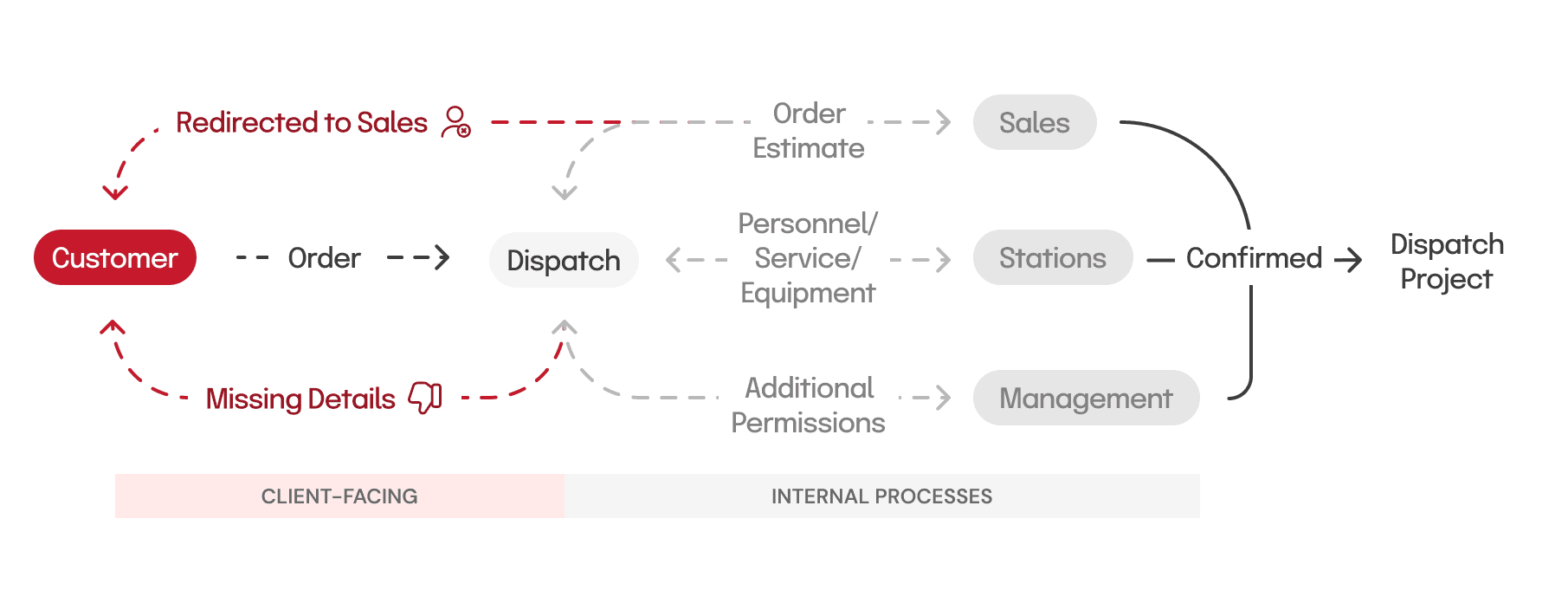
Dispatcher
“I want to use fewer tools to get an order done.”
User Testing
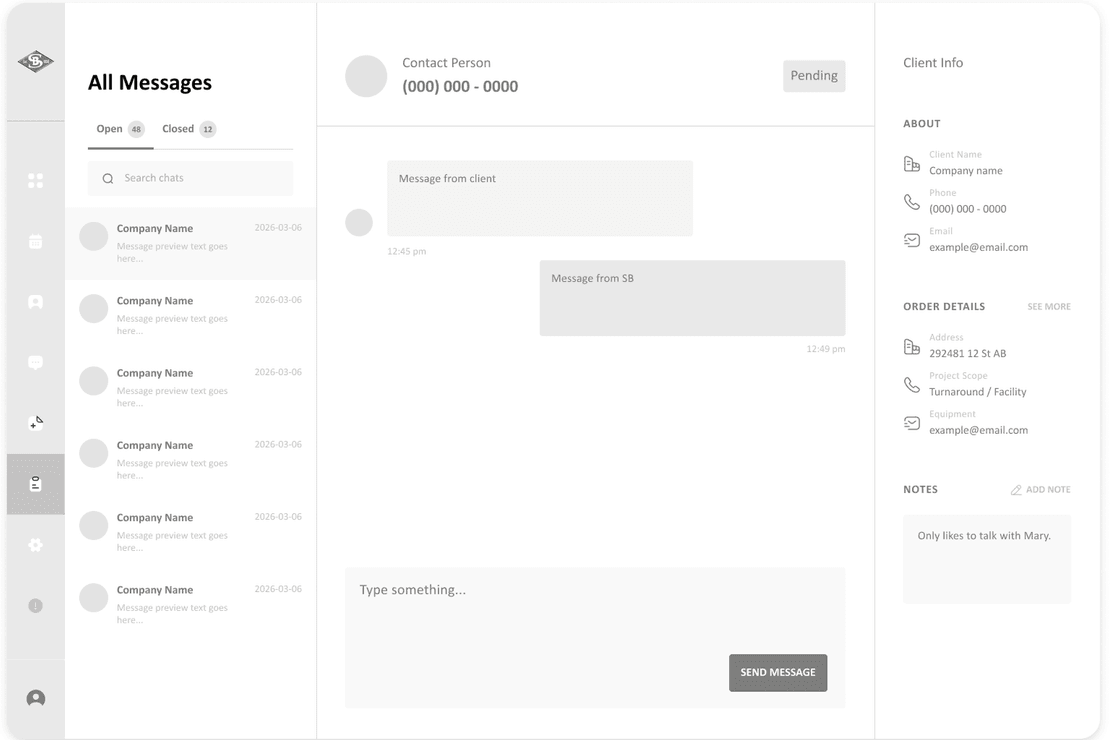
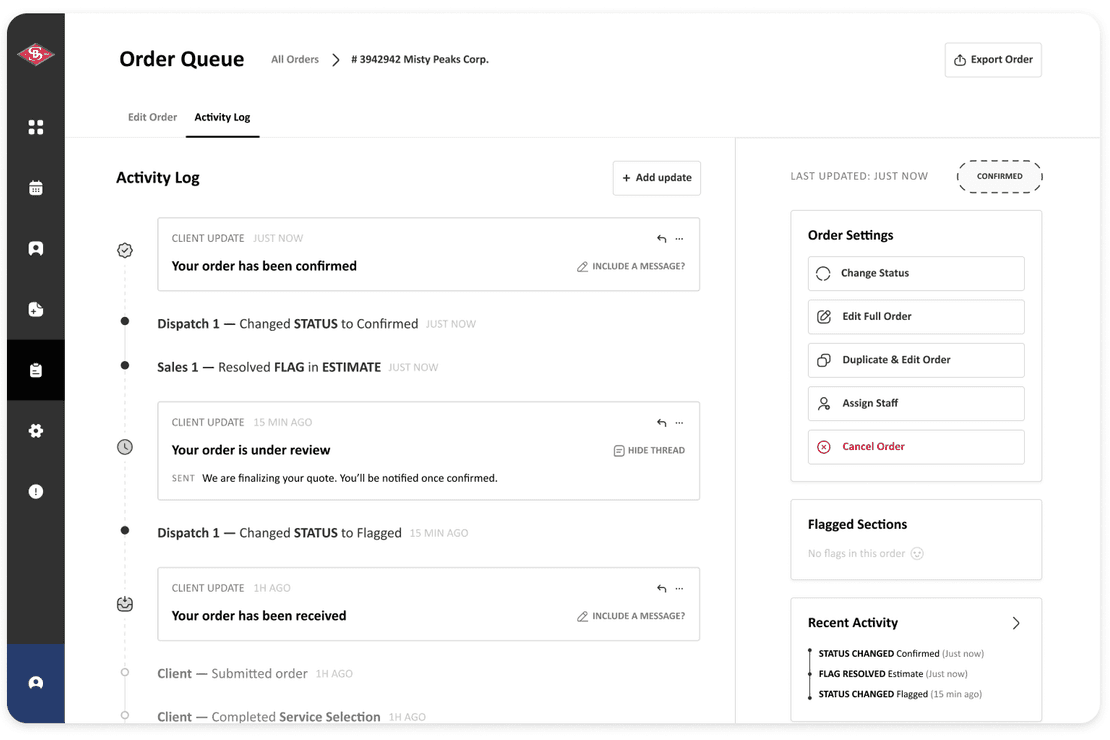
A messaging feature would have recreated the chaos
I ran co-design sessions with stakeholders and 6 user tests. Each finding led to a change.
| What testing showed | What I changed |
|---|---|
| A messaging centre would repeat the old back-and-forth. | Replaced it with a system-wide activity log. |
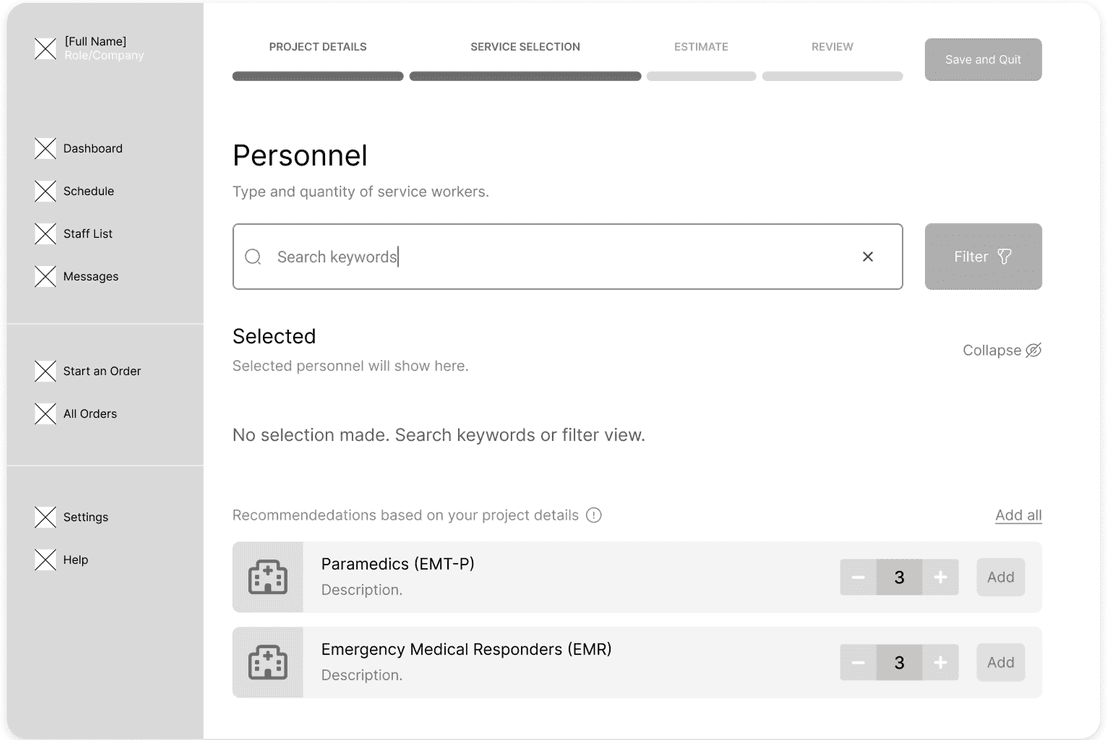
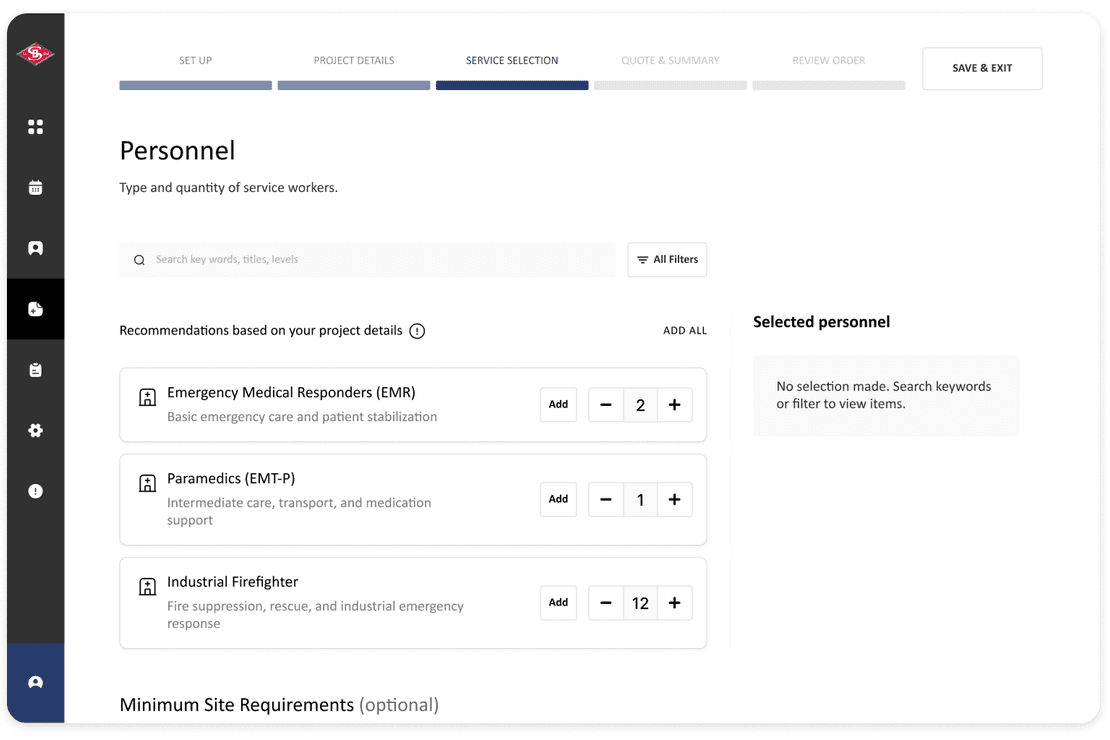
| Comfort with technology varied widely. | Kept visuals clear and conventional, with supporting text and icons. |
| Testers found the bare-bones wireframes easy to navigate, but had a hard time picturing them alongside their day-to-day workflow. | Created a conventional design system, so the screens feel familiar and easy to use. |
Replacing chat with an activity log
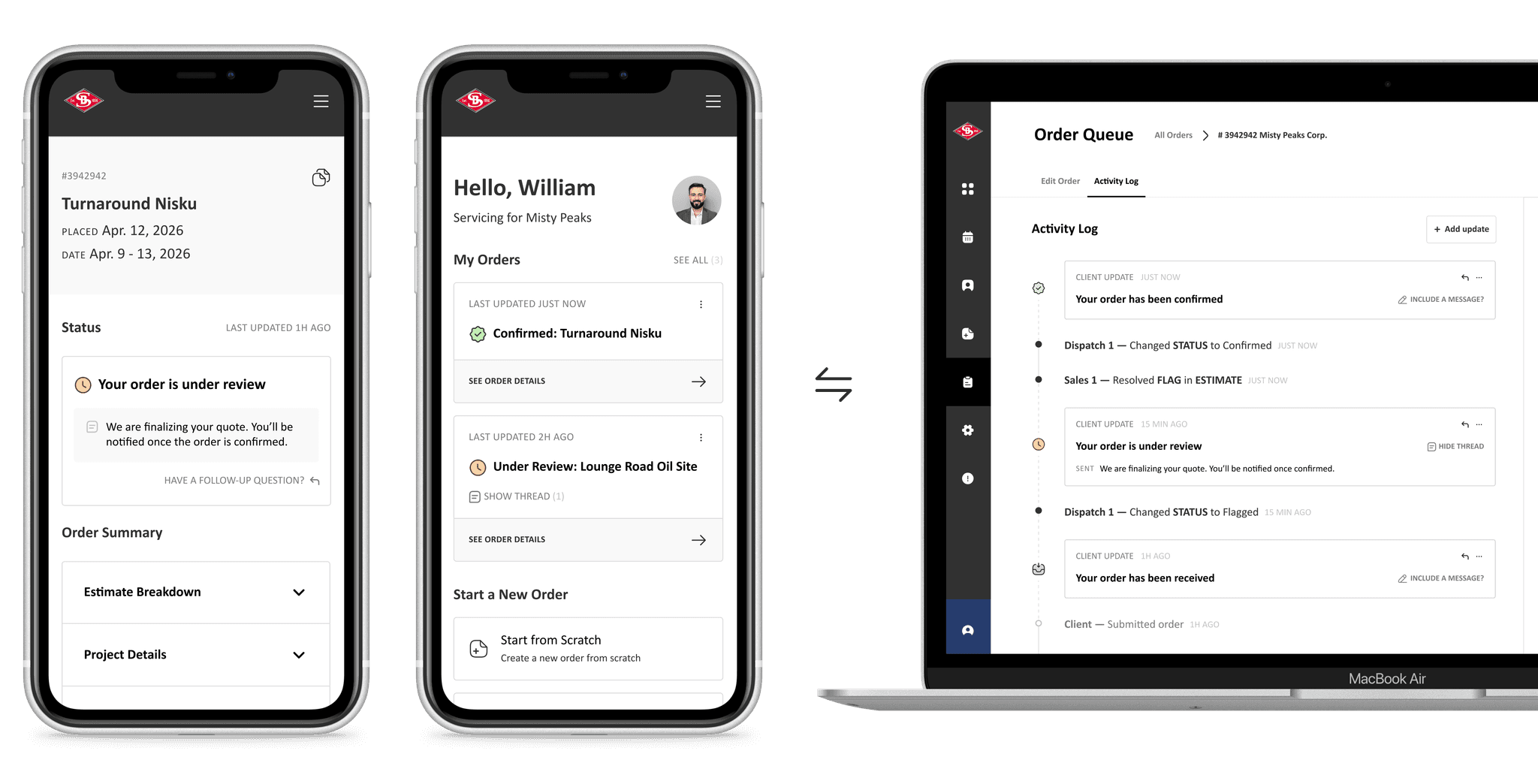
Chat would have recreated the unstructured conversations dispatchers already dig through. Instead, each order gets an activity log that records every change and updates the customer automatically.
Before
After
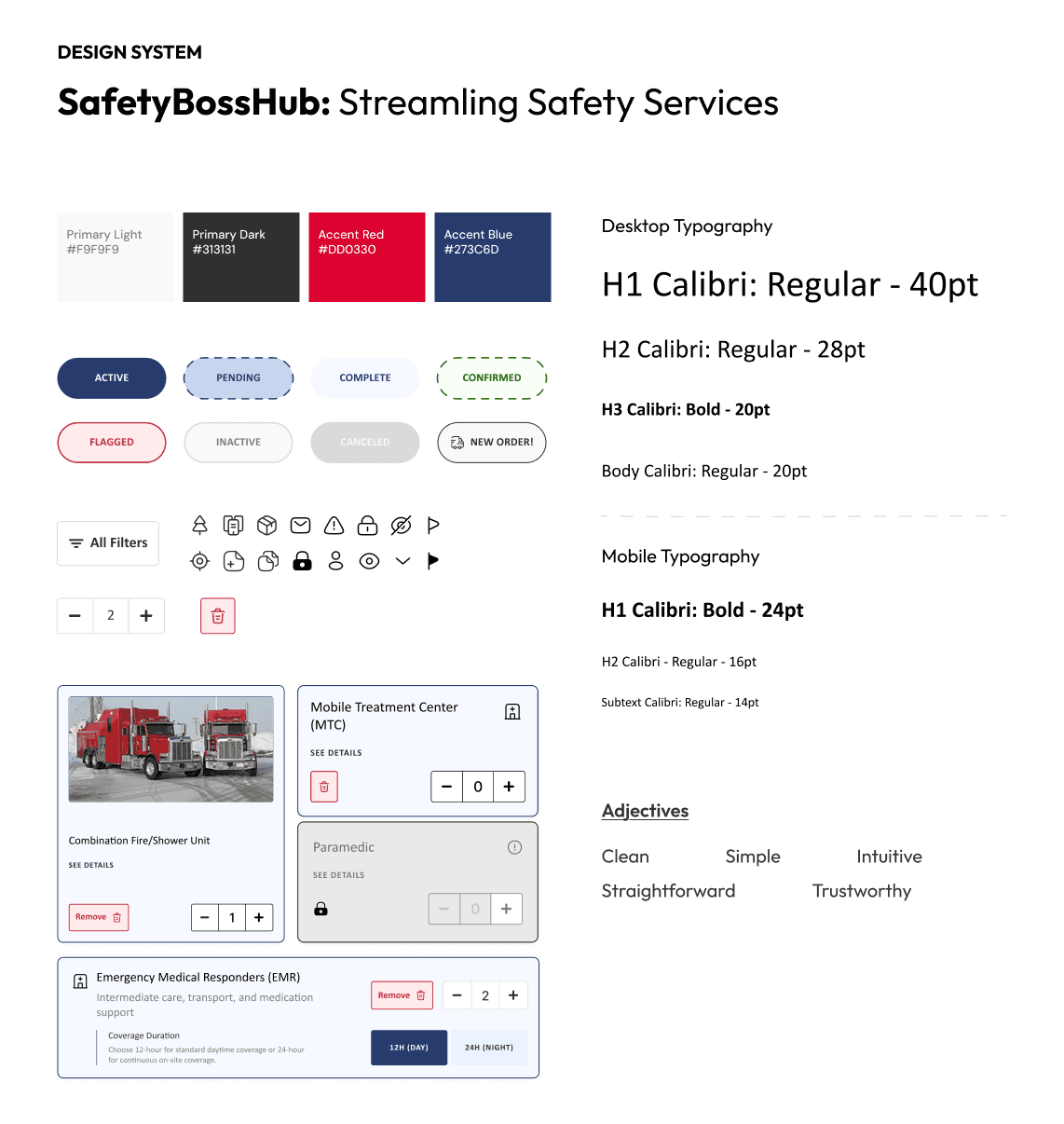
Simple, conventional, and straightforward
With no design system to start from, my early screens were inconsistent. Each round of testing showed where structure was missing, and I grew the screens into a consistent design system.
Before
After
The outcome
Final Designs
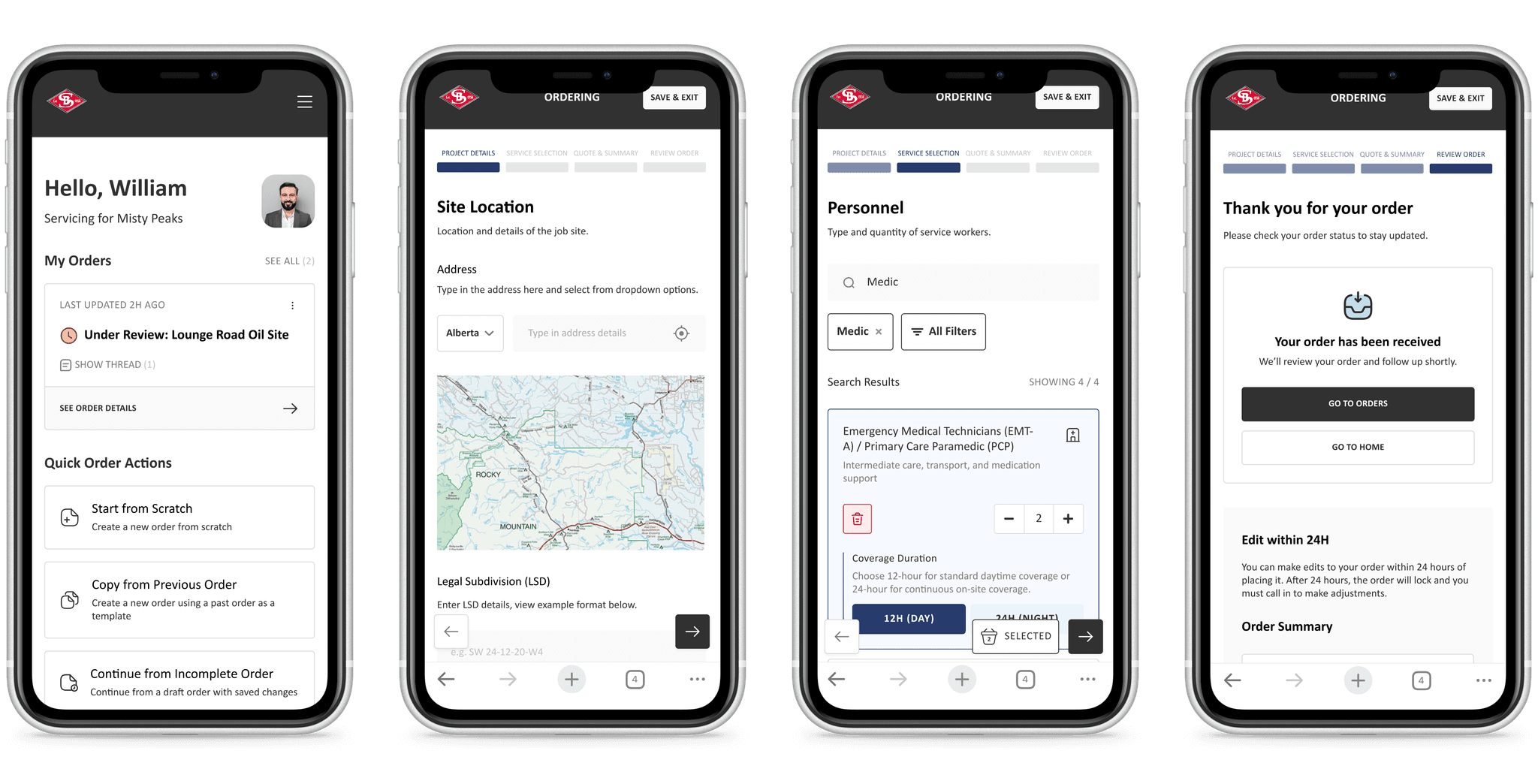
Customer-facing screens
Customers place a complete order in one flow, then follow its progress.
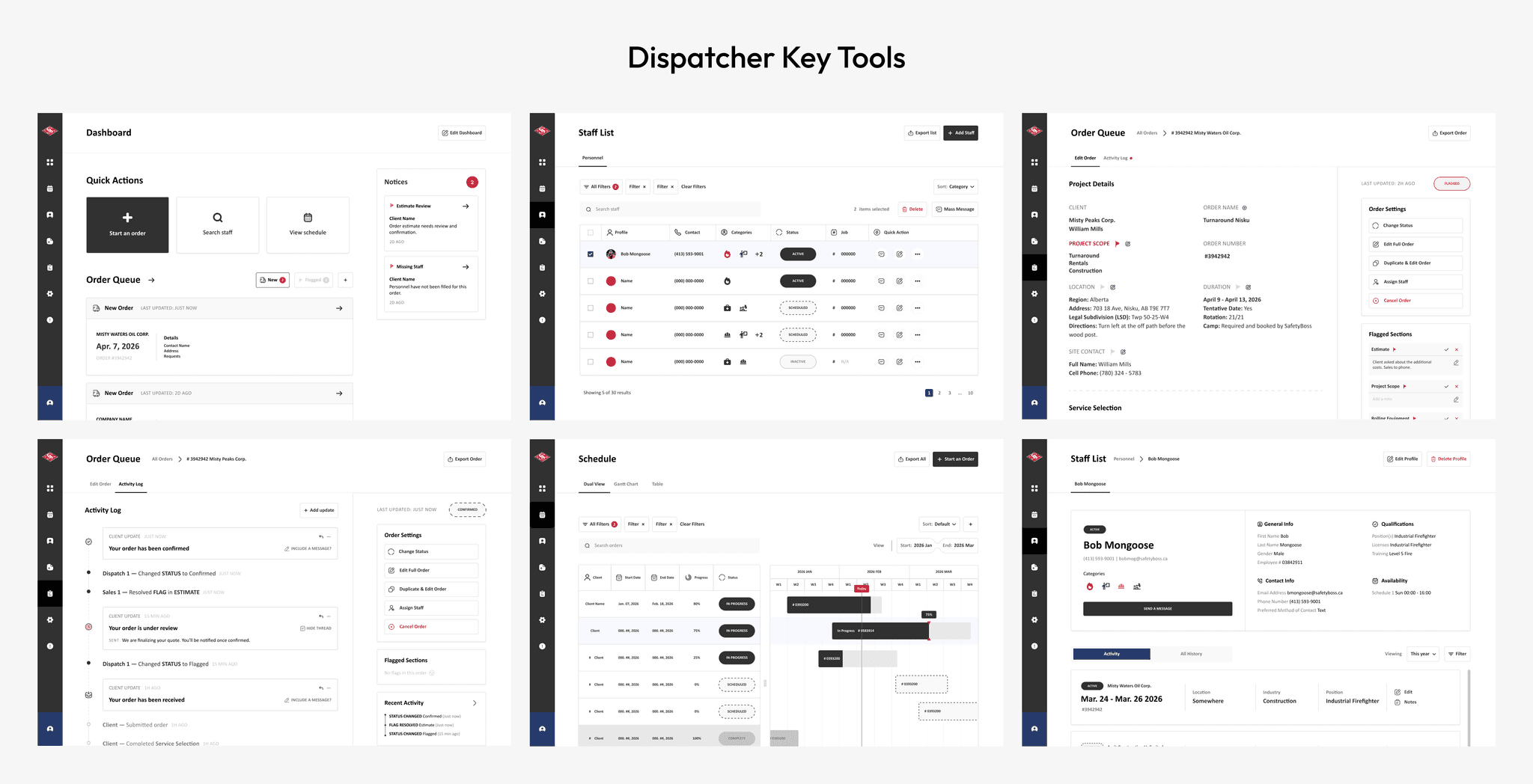
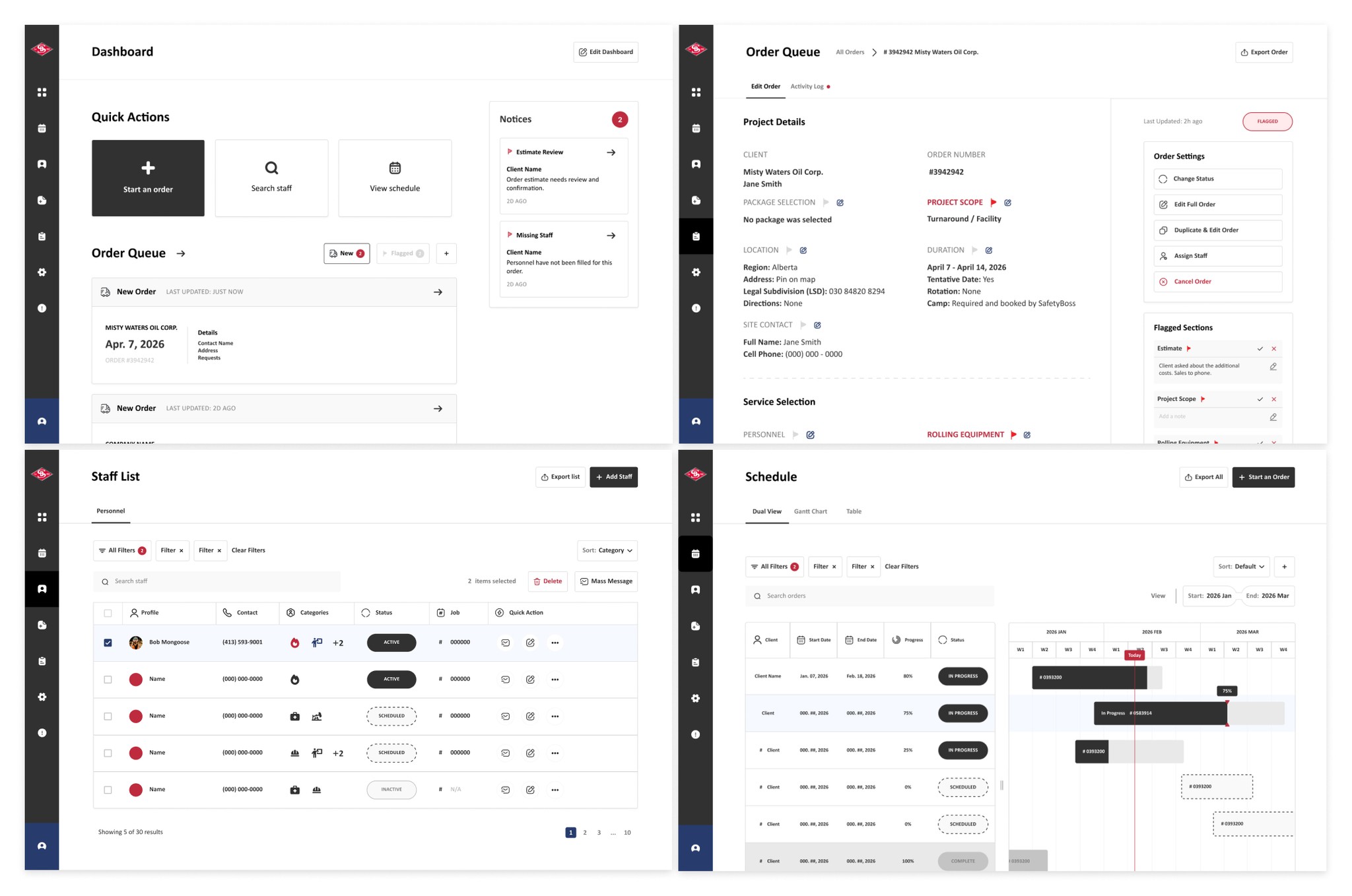
Dispatcher tools
Dispatchers receive complete orders and manage every job in one place.
How it connects
The activity log keeps both sides up to date without extra calls or messages.
Handoff and reflection
Handoff
Ready for development
I cleaned up the Figma file, wrote up documentation, and passed the designs over for development.
Project Takeaways
Advocating beyond the brief
Taking user insights to stakeholders and arguing for the real pain points was new to me. It turned a surface-level ordering app into a redesign of the service itself.
I used to
build exactly what the brief asked for
Now I
check the brief against what users actually need, and make the case when they differ
I used to
try to fit every good idea into the first version
Now I
prioritize the key functionality and save the nice-to-haves for later
I used to
stick with my first design direction once it felt right
Now I
question my choices against research findings, even partway through